How to reduce plywood waste, and save about $100 a project
A 4x8 sheet of cabinet-grade plywood costs $80 to $150 in 2026. On a typical multi-sheet build, a sloppy layout throws 15 to 30 percent of that into the offcut bin. Here is how to stop feeding it.
First, how much are you actually wasting?
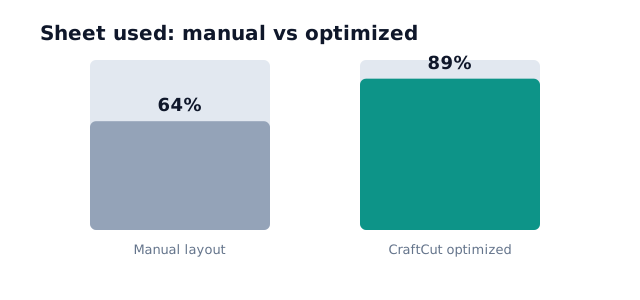
Most hobby and small-shop cut layouts land between 60 and 75 percent sheet usage. The rest is offcut, and a lot of it is too small to be useful. Push that usage up into the high 80s and the math changes fast.
Recovering a quarter of a sheet on four sheets is a whole sheet you never had to buy. That is real money, and it is the difference between one trip to the lumberyard and two.
Six ways to waste less
- Cut from a plan, not as you go. List every part with its size and quantity before the blade touches anything. Cutting on the fly is the number one cause of waste, because you can never see the whole puzzle at once. Even a scrap of paper beats it.
- Nest your parts. Fitting rectangles onto a sheet with the least gap is a packing problem, and human eyes are bad at it. Software runs the layout for you and finds the tight fit you would have missed. This single step recovers most of the 15 to 30 percent.
- Account for the kerf. Every cut eats 3 to 4mm of material. Ignore it across twenty cuts and your last panel comes up 60mm short. A proper cut list bakes the kerf into the spacing so the parts you plan are the parts you get.
- Respect grain only where it shows. Lock grain direction on visible faces like door fronts and cabinet sides. Locking it everywhere stops the optimizer from rotating parts, and rotation is where a lot of the savings live. Mark grain where it matters, free the rest.
- Batch small parts and offcuts. The offcuts from one project are the perfect size for another project's shelves and spacers. Keep a rack of usable offcuts and feed them into the optimizer as extra stock before you reach for a fresh sheet.
- Buy to the cut list. Once the layout tells you it needs three sheets, you buy three sheets. No guessing, no "grab an extra to be safe" that ends up in the corner for a year.
What an optimized layout looks like
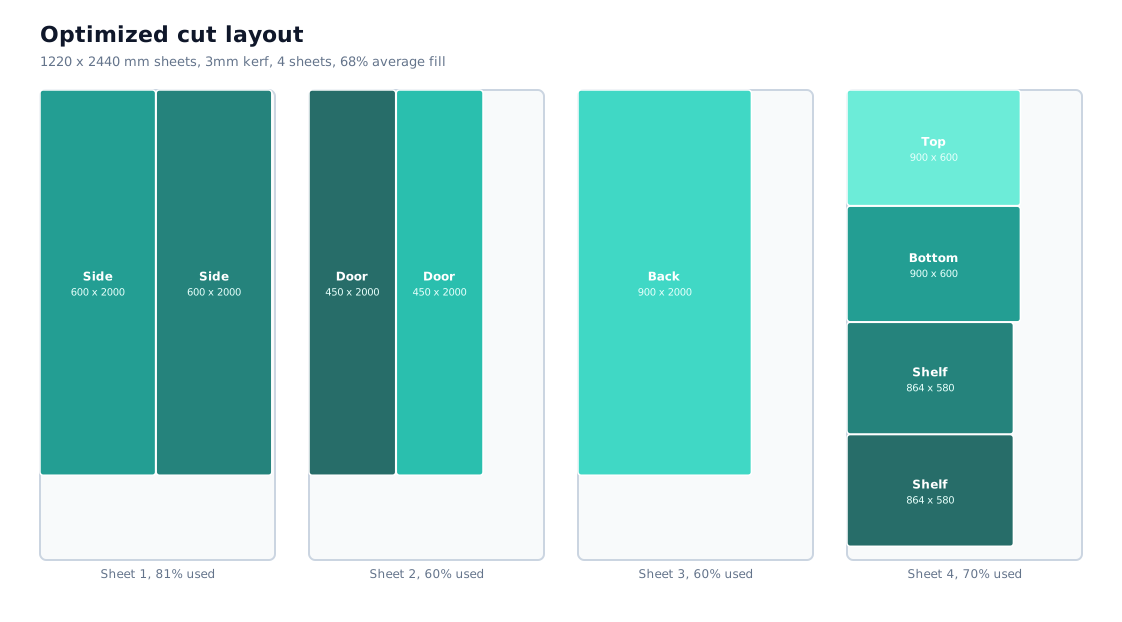
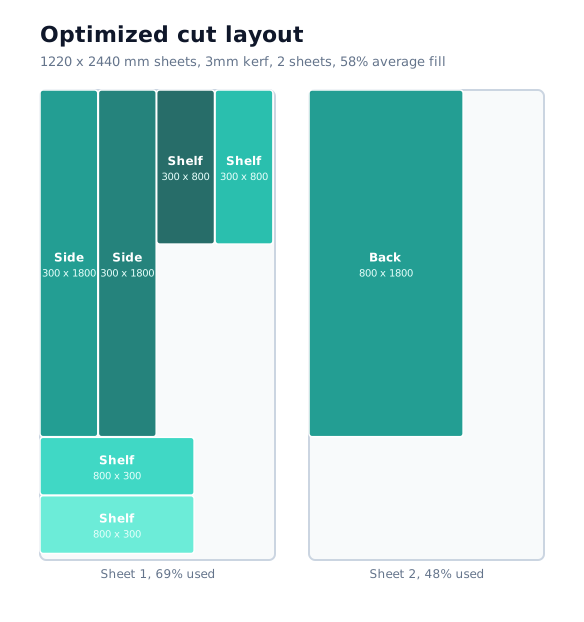
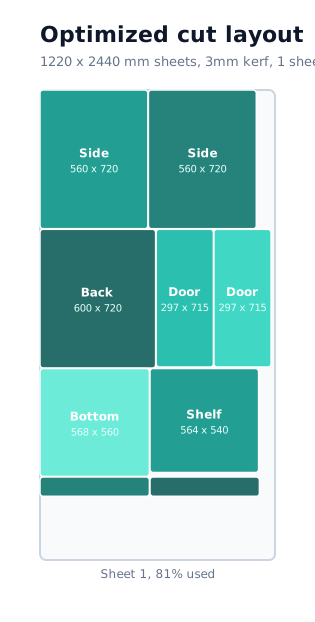
Here is the same idea applied to a small cabinet. The parts are packed into the sheet with the kerf built in, each panel labeled and dimensioned so you can cut straight from the diagram.
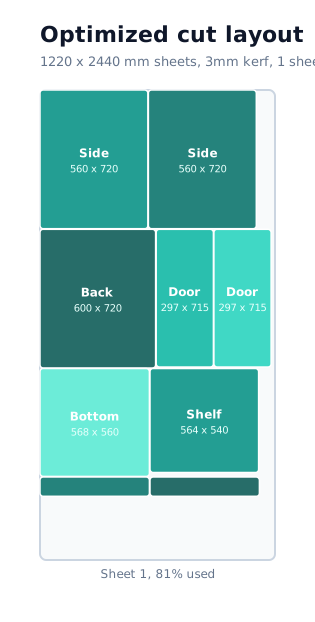
The shortcut: CraftCut does steps 2, 3, and 4 for you. It runs several packing algorithms at once and shows the layout with the least waste, kerf and grain aware, then hands you a cutting diagram per sheet. It is free to start and there is no signup. See how the packing works in the plywood cut list optimizer guide.
A quick worked example
Say a bookshelf and a cabinet together need what looks like four sheets when you eyeball it. Run the parts through an optimizer and they pack into three sheets at 88 percent fill. That is one sheet saved, so $80 to $150 back in your pocket, on a single afternoon of planning that took about a minute of actual work.
Do that across a year of projects and the tool has paid for itself many times over, even before you count the trips you did not have to make.
See your own layout in about a minute
Describe your piece or pick a template, and CraftCut shows you the tightest cut layout with the kerf already handled.
Optimize a cabinet cut plan No account. No download. Free forever tier.FAQ
How much plywood waste is normal?
A manual, cut-as-you-go layout commonly wastes 15 to 30 percent of a sheet. On a multi-sheet project that is often close to one full sheet of plywood.
Does a cut list optimizer actually save money?
Yes. Recovering 15 to 30 percent of a sheet that costs $80 to $150 usually means one fewer sheet bought per multi-sheet project, so roughly $80 to $150 saved.
Does reducing waste mean tighter cuts I cannot make?
No. A good optimizer respects your saw kerf and grain direction, so the layout it gives you is one you can cut on a table saw or track saw without the parts coming up short.